
Everything you need to design and run a business process
Collect the right input, route it to the right people, keep your data structured, produce the documents, and report on it all — in one no-code platform.
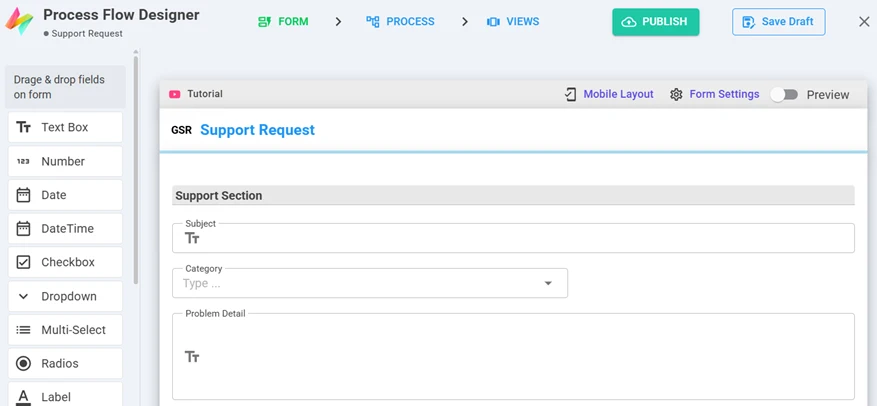
Forms that capture exactly what the process needs
Drag fields onto the form, arrange them in sections and tables, and preview the mobile layout. Fields can look up your own data, calculate values and enforce validations.
- Text, number, date & time, dropdown, multi-select, radio, checkbox
- Attachments, pictures, signatures and location
- User fields, serial numbers, aggregates, and data links/snaps into datasets
- Field validations and expressions for calculated values
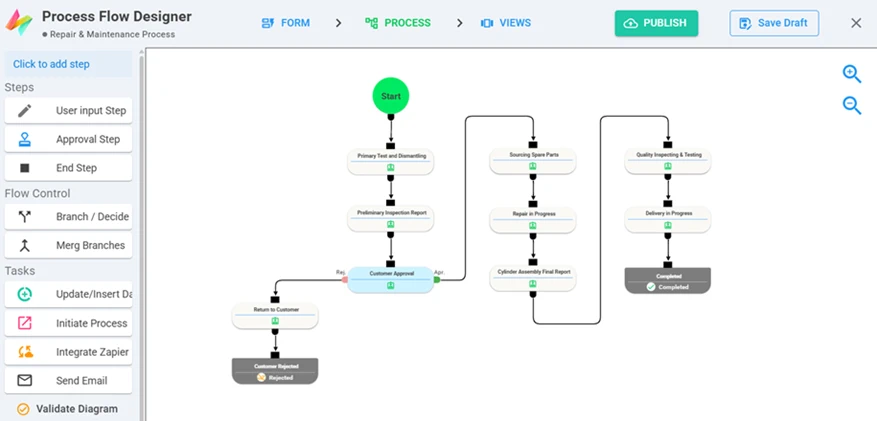
Visual workflows with approvals, branches and automation
Draw the process step by step. Each step has an owner, permissions and an optional deadline; branches decide where the item goes next.
- Input and approval steps — approve or reject, each with its own path
- Assign to a user, role, group, the initiator's manager, a previous step's executor, a user in a field, or a dataset lookup
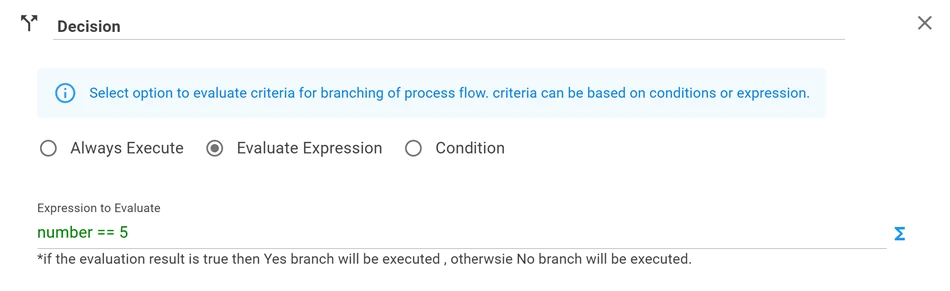
- Branch on conditions, expressions or AI-evaluated rules; merge branches back together
- Automated tasks — update or insert data, start another process, send an email, call Zapier or an integration
- Schedule processes to start daily, weekly, monthly or yearly
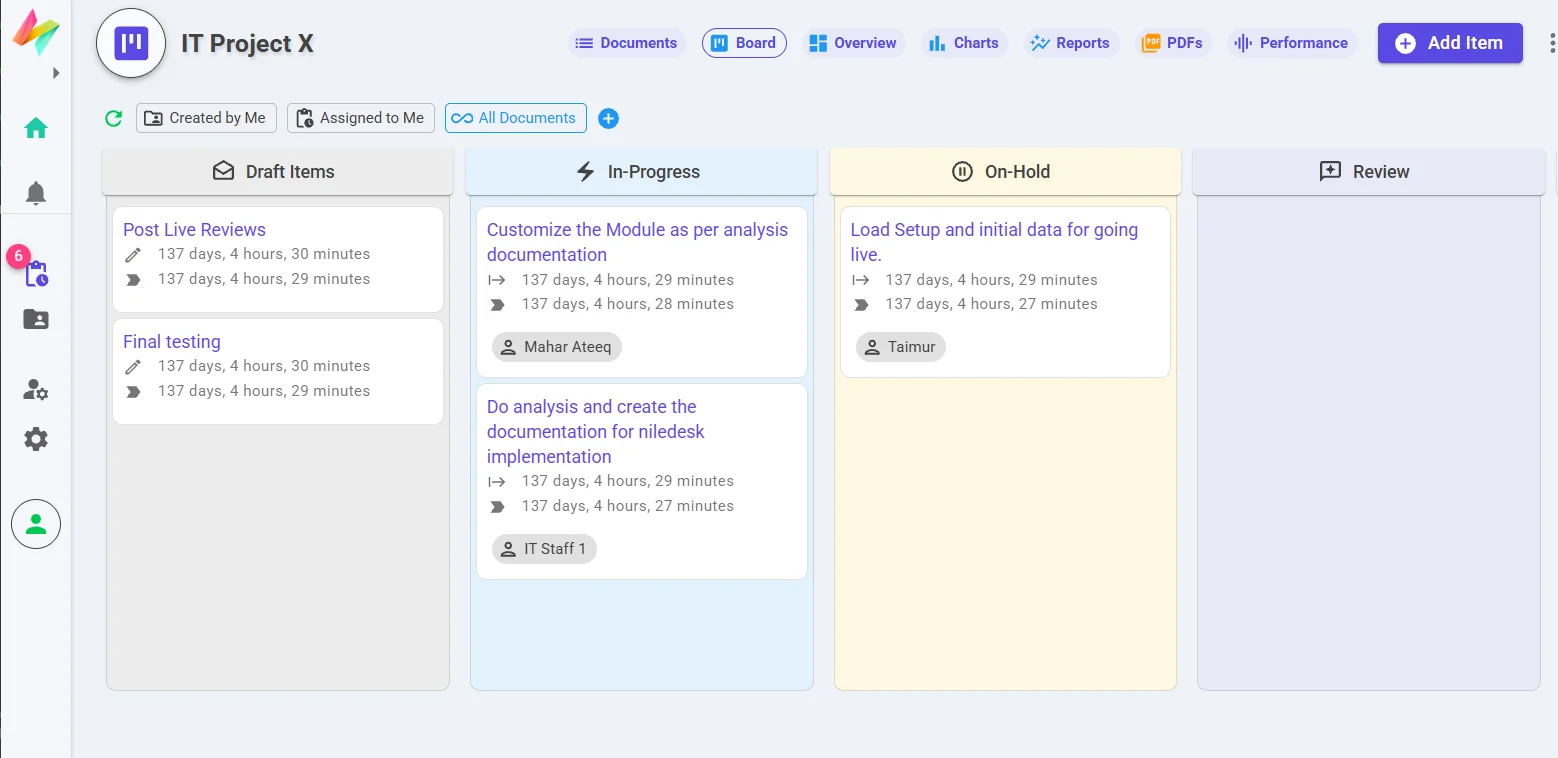
Boards for work that doesn't follow a fixed path
Support tickets, recruitment, sales opportunities, repairs: move items between stages on a Kanban board while keeping the same forms, permissions and history.
- Filter to "assigned to me" or all items
- See creation and assignment times on every card
- Switch between board, list and overview for the same process
Your reference data, structured and connected
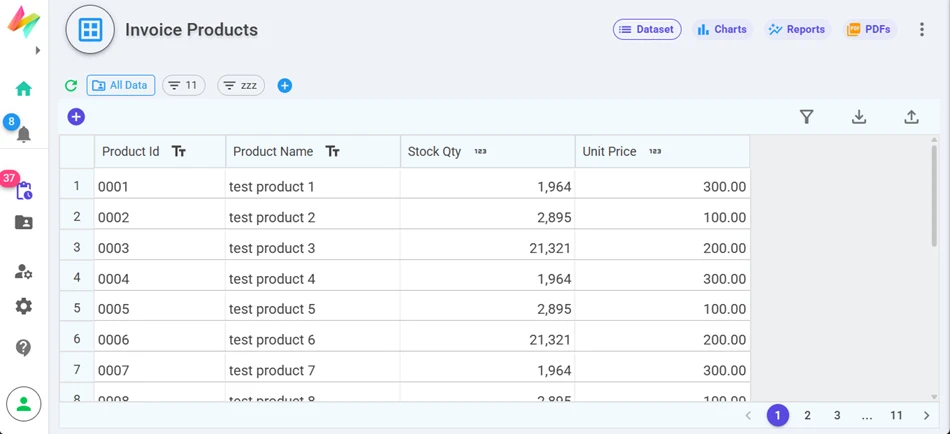
Keep products, vendors, assets, locations or clients in datasets. Forms look them up, processes update them, and reports summarise them. Import what you already have from Excel or CSV.
- Datasheet or form-based editing
- Upload external data from files
- Charts, reports and PDFs on datasets too
Generate the paperwork from the data
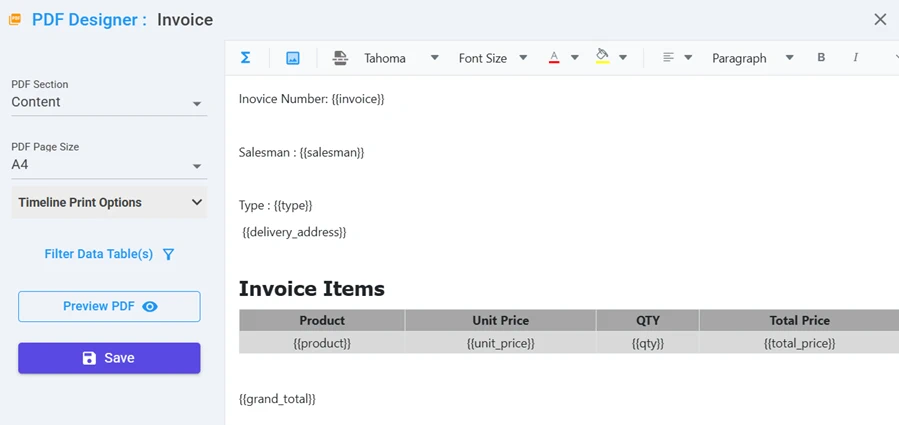
Design PDF templates — invoices, certificates, test reports, letters — with placeholders for fields and tables. Generate them on demand or attach them to emails sent by the process. AI can help design and reformat templates.
- Page size, sections and filtered data tables
- Email steps with dynamic recipients, subjects and attachments
- Custom notifications on web, push and email
See performance, not just status
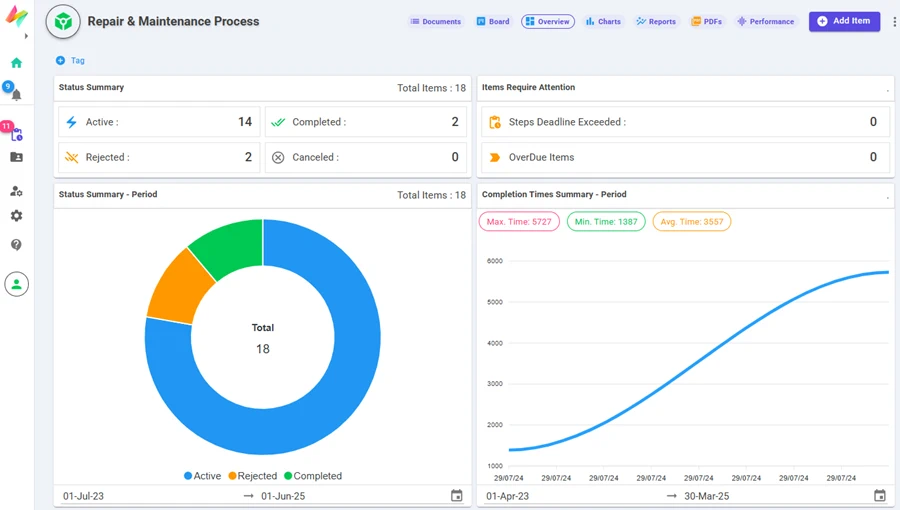
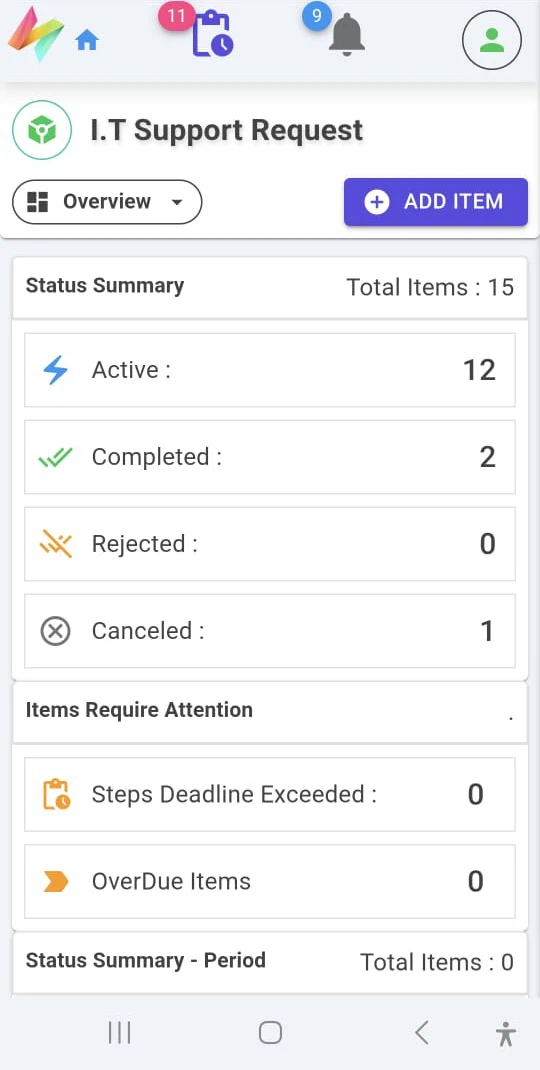
Every process and dataset gets an overview dashboard, charts, tabular and pivot reports and a performance view. Save filtered views and tag data so each team sees what matters to them.
- Status summaries, overdue items and exceeded step deadlines
- Completion-time trends by period
- Export to Excel or CSV
Connect NileDesk to the rest of your stack
Send data out from any step in a process, and let other systems — or AI assistants — create and update items in NileDesk.
Slack, Jira & WhatsApp
Native integration steps: post messages, create issues, send WhatsApp notifications using your own API keys.
Zapier
Send process data to Zapier at any step and pass it on to thousands of other apps — no code.
REST calls & public API
Call your own APIs from a process, and use the NileDesk API for inbound integrations with role-based access.
MCP servers
Define which actions an AI assistant may perform, and connect it with a server URL. Learn more
Approve, submit and update from anywhere
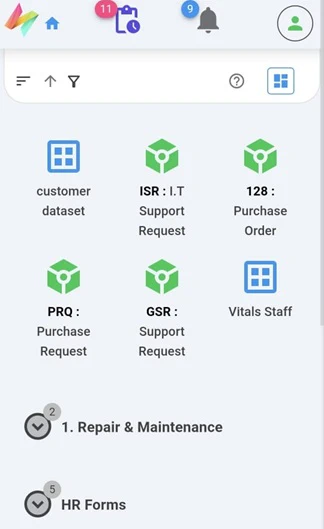
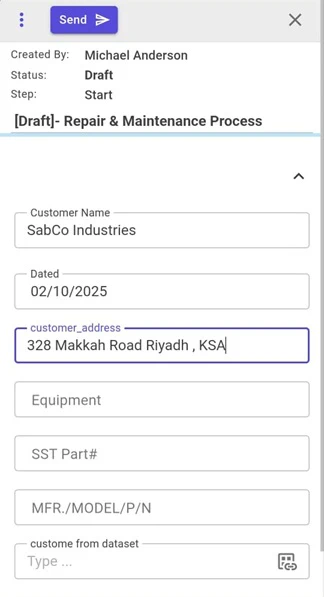
Design on a desktop; work from any device. Your team gets the same inbox, forms and dashboards on their phones.
- Android app on Google Play
- Installable web app (PWA) with push notifications and automatic updates
- Any mobile browser — nothing to install
Control who can do what
Roles & permissions
Default and custom roles per template: who can view, create, edit, delete, manage or share — down to reports and integrations.
Users, groups & managers
Organise users into groups, set managers for manager-based routing, and delegate tasks when someone is away.
Events log & history
Every user input and decision on an item is recorded.
Flexible sign-in
NileDesk accounts, Google or Microsoft sign-in on Cloud; native accounts on self-hosted.
Try it on one real process
Pick the process that causes the most follow-up emails today. Build it in the trial, invite the people involved, and see the difference.