
NileDesk

Automate & Collaborate!

AI + No-Code for intelligent business operations.

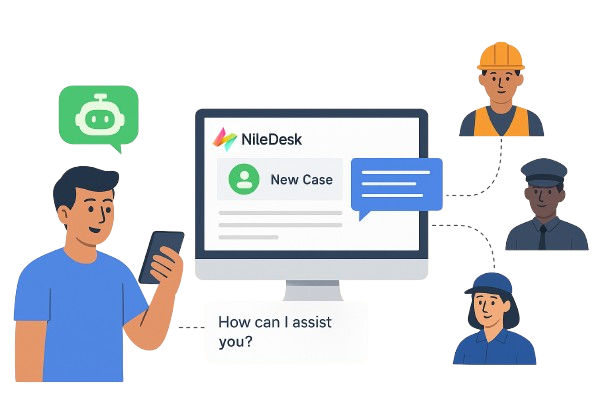
AI illustration

Bring AI Into Your Operation

NileDesk combines business process automation with intelligence. Its no-code foundation allows AI to assist in designing processes and supports adaptive decision-making, enabling truly intelligent process management.

AI-Assisted Design

Describe your process in plain language — AI instantly generates process forms and matching workflows, for a smart starting point to refine and perfect.

Intelligent Routing

Describe your business rules — at each stage, AI interprets process data or user actions to make adaptive decisions on routing, assignments, or deadlines.

Smart Document Templates

Design, reformat, or enhance business documents to generate PDFs or email and notification templates in seconds with a simple AI prompt.

AI Data Interpretation

Interpret plain text entered by users on forms — auto-fill structured data, calculate or summarize values, and use the insights to drive process decisions.

Decision Rationale & Privacy

Review every AI-driven decision — see what it decided, why it acted. Keep full control over what your AI can access — limit context, safeguard data.

No-Code Meets AI

NileDesk merges logic and intelligence — choose full AI-driven automation or craft deterministic workflows. In both cases, AI is there to assist you.

Streamline Any Process

Transforms scattered processes and disconnected teams into streamlined and structured operations. Design and automate AI-powered workflows aligned with your goals.
Quick Tour

🔄
Keep Your Team in Sync

Route tasks, track approvals, and update work automatically as it moves forward.

Bring AI Into Your Work

Let AI route your tasks, evaluate conditions, and intelligently set priorities and deadlines.

📊
Visualize Progress

See team progress at a glance with boards, dashboards, and actionable reports.

📝
Data Insights

Turn your team’s data into PDFs, charts, and insights instantly.

Integrate Tools

Connect NileDesk with your favorite apps effortlessly.

📱
Work Anywhere

Stay productive on desktop, tablet, or mobile devices.

NileDesk Business Process Management

How it works

Form Design

1️⃣ Design Forms

Create forms tailored to your process needs—capture text, numbers, dates, or attachments with just a few clicks.

Process Design

2️⃣ Design Processes

Map out step-by-step flows or agile boards to match your business scenarios—clear, visual, and flexible.

Automation Flow

3️⃣ Let It Flow

Automate your workflows and watch work move seamlessly—keeping your team aligned and productive.

Platform

Design & Run Complete Solutions

Process Flow Designer

Create and automate structured or waterfall workflows with NileDesk’s intuitive AI Assisted Process Flow Designer. Streamline complex processes, track progress, and enhance team collaboration— through a simple, visual interface.

Agile Boards Designer

Streamline and manage flexible, agile processes with NileDesk’s Agile Boards Designer. Organize, prioritize, and track tasks in a visual format that enhances collaboration and supports agile workflows, adapting to your team’s needs.

Custom PDF Designer

Design dynamic PDFs for your processes with NileDesk’s PDF Designer or let AI design it for you. Effortlessly create and customize PDFs, ensuring your documents are perfectly tailored to meet your specific needs.

Flexible Integrations

NileDesk offers multiple ways to connect with external applications: Native Integrations for popular apps like Slack, Jira, and WhatsApp, REST API connectivity Or connect with Zapier.

Custom Roles & Permissions

Define user access levels with custom roles and permissions to ensure secure, tailored access to your processes and data.

Custom Notifications

Customize notification messages for web, mobile, and email to ensure timely and clear communication tailored to your processes and teams.

Charts & Reports Designer

Design your data reports and download the data to MS Excel/Csv. NileDesk allow you to create your own custom Charts for your dashbaord.

Mobile App

NileDesk's Mobile/PWA Apps provides users with the flexibility to manage their processes on the go. The app is designed to provide a seamless user experience, enabling users to access and manage their processes from anywhere, at any time.

Solutions

Craft solutions, anywhere it matters

Human Resource
Read More
Procurement
Read More
Sales & Marketing
Read More
Finance
Read More
Legal & Compliance
Read More
Construction & Engineering
Read More
Education & Training
Read More
Healthcare & Life Sciences
Read More
Government & Public Sector
Read More
NGO & Non-Profits
Read More
Real Estate
Read More

F.A.Q

Frequently Asked Questions

What is NileDesk?

NileDesk is a Business Process Management (BPM) and low-code platform that helps organizations streamline their workflows. It provides tools like Process Flows, Boards, Datasets, and Data Forms to design, automate, and manage business operations without needing complex coding skills.

Who can use NileDesk?

NileDesk is designed for businesses of all sizes — from startups to enterprises. Whether you need to manage customer onboarding, sales pipelines, HR processes, or custom workflows, NileDesk adapts to your needs.

Do I need coding skills to use NileDesk?

Not at all. NileDesk is a low-code platform — you can design processes, forms, and boards visually. For advanced scenarios, you can use simple scripting (Expressions) for calculations, routing, and filters, but most users manage perfectly with the drag-and-drop designer.

What are the main features of NileDesk?

NileDesk provides a wide set of capabilities:

Process Flows – Flow-based processes for approvals and step-by-step tasks.
Boards – Kanban-style boards for task and case management.
Datasets – Custom tables to record and manage structured information.
Data Forms – Advanced form builder for data entry and collaboration.
Integrations – Connect with tools like Zapier for external apps.
Insights & Reports – Turn your data into charts, PDFs, Pivot Reports and custom views to track progress and share results.

Can NileDesk integrate with other applications?

Yes. NileDesk offers native integrations with commonly used apps such as Slack, Jira, and WhatsApp. It also supports REST API calls for custom integrations. And if nothing fits, you can connect NileDesk to thousands of applications through Zapier. This allows you to automate tasks like sending emails, updating CRM records, or syncing data with your existing business tools.

Can I try NileDesk before purchasing?

Yes! NileDesk offers a free trial so you can explore all core features before committing. You can design workflows, test integrations, and invite your team to collaborate.

How is NileDesk different from other workflow tools?

Unlike traditional project management or form builders, NileDesk combines BPM capabilities, low-code development, integrations, PDF generation, charts & custom reports, tags, and customizable views in one platform. This means you can:

• Build custom workflows without hiring developers.
• Use advanced forms with over 20 flexible fields.
• Connect processes seamlessly across teams in a single system.
• Generate professional reports and documents directly from your workflows.

Does NileDesk support mobile access?

Yes. NileDesk is web-based and mobile-friendly. You can access the same app directly from your mobile browser for general use, or with just a click, convert it into a PWA (Progressive Web App) to receive native mobile notifications. Additionally, you can download the Android app from the Play Store. NileDesk is designed to be accessible anytime, anywhere.

What kind of support does NileDesk provide?

We provide documentation, tutorials, and guides both within the app and on our website. Licensed customers also have access to in-app chat support for efficient and timely assistance. For advanced customers, we offer dedicated onboarding and premium support options to ensure smooth adoption and ongoing success.

Is my data secure on NileDesk?

Absolutely. NileDesk is hosted on Microsoft Azure’s Linux platform with enterprise-grade security standards. We ensure encrypted storage, secure APIs, role-based access controls, and continuous backups to keep your data safe at all times.