
Approvals and paperwork with a full record behind them
Expense claims, invoice approvals and payment requests follow the same rules every time, and every input and decision is logged against the item.
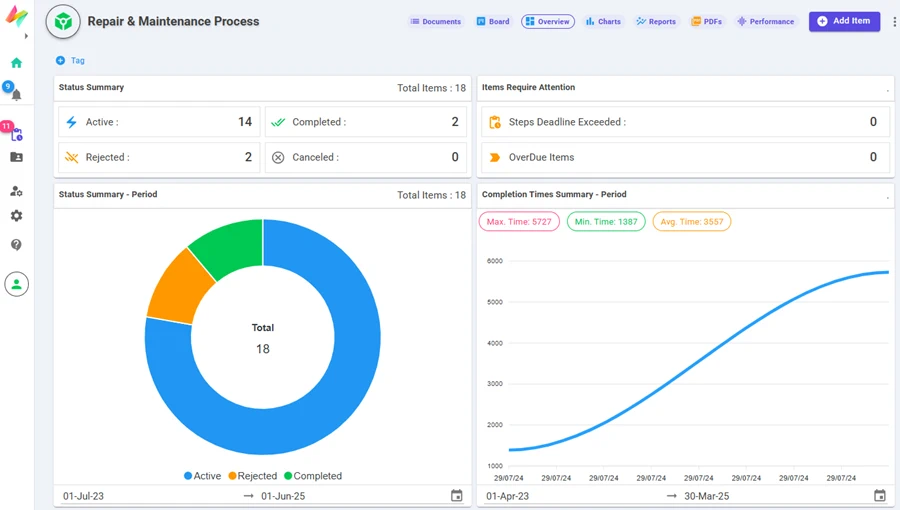
Process overview — status, overdue items and completion times for every process.
What Finance teams build with NileDesk
Each of these is built from the same no-code components, so you can start with one and add the next when you're ready.
Expense claims
Employees submit with receipts attached; manager and finance approve; the claimant is notified.
Invoice approval
Route supplier invoices to the budget owner, then to finance for payment.
Payment requests
Multi-level approval with amount-based routing.
Budget requests
Collect departmental requests in one format and consolidate them in reports.
Month-end checklists
Schedule recurring close tasks so they are created automatically each month.
Financial documents
Generate invoices, vouchers or statements as PDFs from your data.
Platform features that matter here
- Events log and user-input history on every item
- Expressions for calculations, totals and routing thresholds
- Tabular and pivot reports, exportable to Excel/CSV
- Roles and permissions control who can see and act on financial data
A good first step
Pick the one process in your team that generates the most follow-up messages. Build it in the free trial — from a template, from an AI prompt, or from scratch — and run it with the people involved.
See your own process running this week
Install a ready-made solution or describe your process to the AI designer, invite your team, and start moving real work through it.