
Every customer request tracked from first message to resolution
Bring requests from your website, WhatsApp, email forms and staff into one queue, assign them automatically, and see what is overdue before the customer asks.
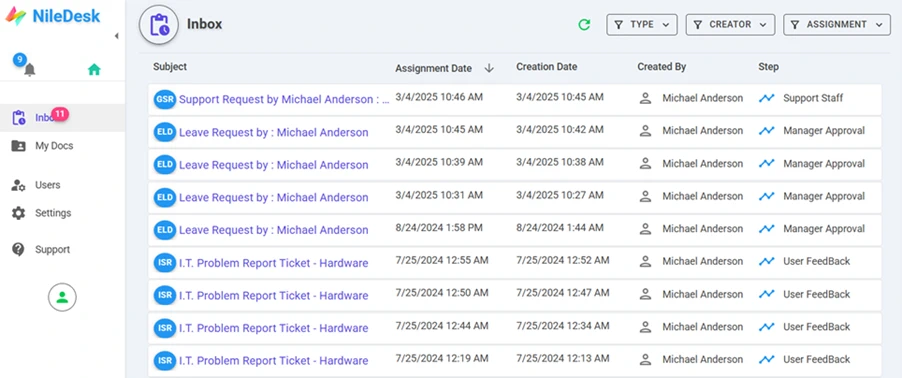
Inbox — each person sees exactly what is waiting on them.
What Customer Service & Support teams build with NileDesk
Each of these is built from the same no-code components, so you can start with one and add the next when you're ready.
Support tickets
Board-based ticket handling with priorities and assignees.
Requests via WhatsApp & web
Customers raise and track requests by chatting with a NileDesk AI agent.
Field service & repairs
Inspection, repair and quality steps with location, picture and signature fields — usable on mobile.
Complaints handling
Capture, investigate and close complaints with a documented outcome.
Client onboarding
A standard checklist for every new client, across the teams involved.
Service reports
Generate service or test reports and certificates as PDFs.
Platform features that matter here
- AI can suggest priorities and deadlines from the request content
- Step deadlines and overdue items surfaced on the overview
- Notifications to staff on web, push and email
- Slack and Jira integration for escalations
A good first step
Pick the one process in your team that generates the most follow-up messages. Build it in the free trial — from a template, from an AI prompt, or from scratch — and run it with the people involved.
See your own process running this week
Install a ready-made solution or describe your process to the AI designer, invite your team, and start moving real work through it.